
Product Icon

Storefront Blog Customizer for WooCommerce

This extension gives you control over the appearance of the blog on your Storefront-powered WordPress site.

Subscription includes

  • Product updates and improvements
  • Customer support
  • 30-day money-back guarantee

Your blog is unique, its design should be too!

Storefront is primarily a WooCommerce theme but that’s not to say that it cannot be used for standard blog/magazine web sites. The importance of an active blog with a large readership is an invaluable asset to any eCommerce website as well.

The Storefront Blog Customizer extension gives you the ability to give your blog a unique design that suits your content and to display blog content on your homepage.

Features

Once installed you’ll find a new top level ‘Blog’ section within the WordPress Customizer, clicking that will reveal a panel, with sections for each part of the blog that can be customized:


Post Layout

As the name suggests, this setting gives control over the your posts layout. You can specify whether you want the post meta (categories, tags, etc.) to be aligned to the left or right of your content, or beneath, or above it. There are merits to each design and the type of blog you run will dictate which is most appropriate.
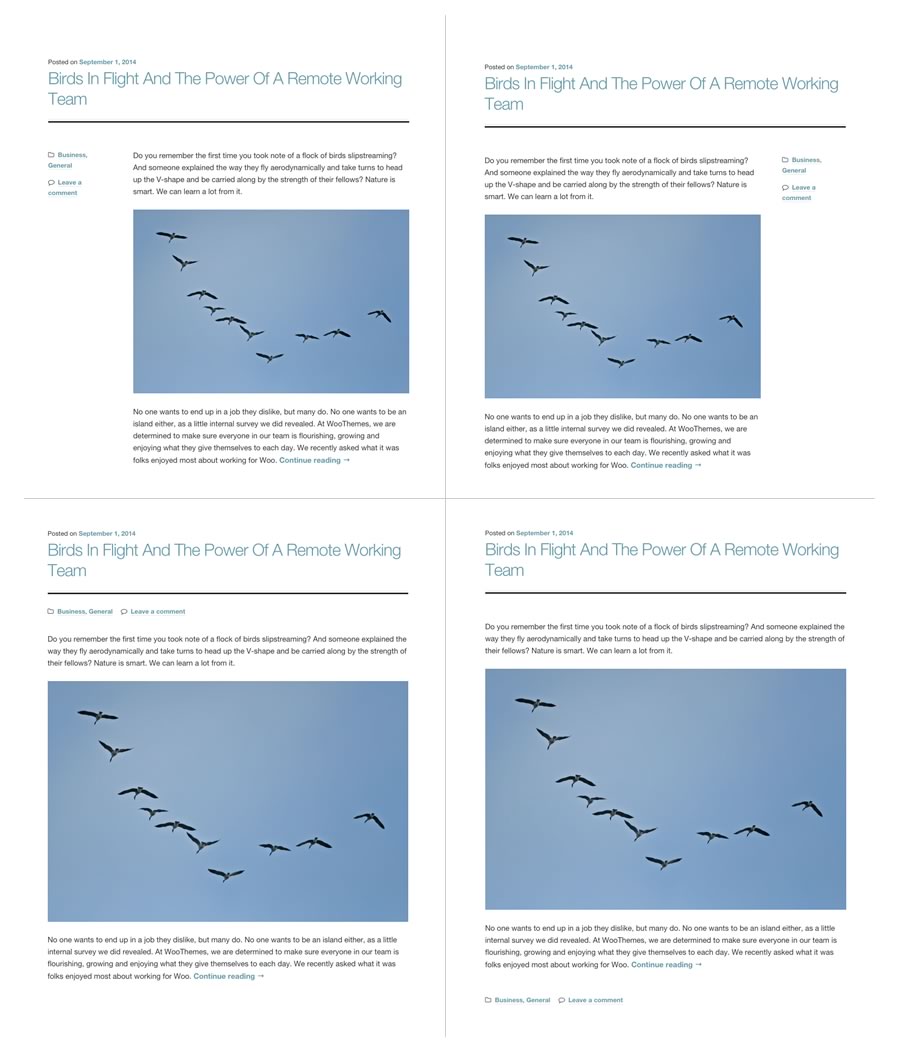
Blog layouts
Blog layouts

As you can see, a more image / gallery driven blog could work well with one of the ‘inline’ meta layouts as would a blog with fewer, or less focus on categorisation.

You can apply a different post layout to blog archives, single blog posts, and the blog post component on your homepage.

Full width archives/posts

There are also options to specify that the post archives (tags, categories, etc.) are displayed in a full-width layout, hiding the sidebar. This can be applied to the single post pages as well should you decide that your blog simply doesn’t need a sidebar. This can work well and immerse visitors directly into your content which has no competition for attention.

Magazine layout

A popular layout on ‘Magazine’ web sites is to arrange blog posts into columns. This works well when there are frequent blog updates as it keeps content closer to the top of the page for longer. It can work equally well for blogs documenting a variety of subjects giving the visitor an interesting array of content as soon as the page loads.
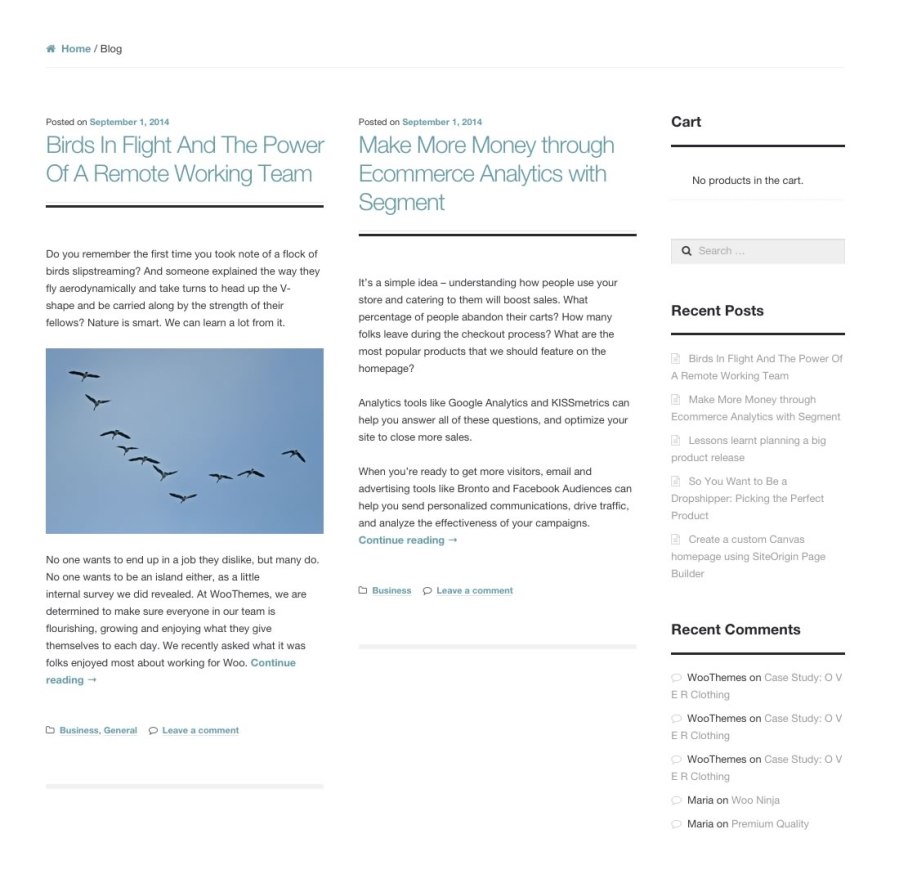
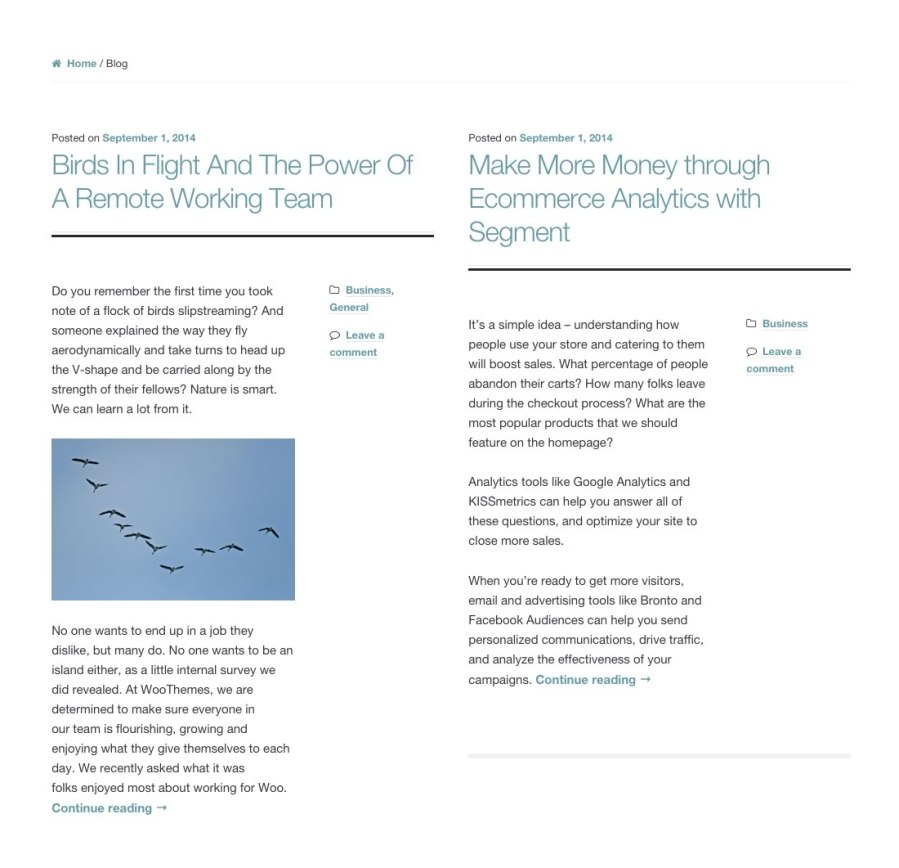
Standard magazine layout with inline post meta
Magazine layout using the full width blog layout.

Homepage Component

The Storefront Blog Customizer also gives you the option to display recent blog posts on your homepage. Define the style of the posts as well as configuring how many to display in a 1, 2 or 3 column layout.

On the grid

All layout adjustments align to the Storefront grid ensuring all elements of your web sites line up aesthetically providing a seamless reading experience.


Storefront Required

This extension is designed to work specifically with Storefront, the official WooCommerce theme. It will not work with any other theme.

Storefront is available to download for free. Read more.

Customer reviews

Average rating 3.3
4 reviews
5 stars, 25% of reviews
4 stars, 25% of reviews
3 stars, 25% of reviews
2 stars, 0% of reviews
1 star, 25% of reviews
4 reviews
  • softmixt
    Rated 5 out of 5
    Apr 20, 2024
    Works awesome but when I use wp_debug true I got weird Warnings like: Deprecated: Creation of dynamic property Storefront_Blog_Customiser::$plugin_url is deprecated in /wp-content/plugins/storefront-blog-customiser/storefront-blog-customiser.php on line 103 Deprecated: Creation of dynamic property Storefront_Blog_Customiser::$plugin_path is deprecated in /wp-content/plugins/storefront-blog-customiser/storefront-blog-customiser.php on line 104
  • Avrom Digance
    Rated 4 out of 5
    Jan 8, 2024
    Good plugin, but should be included in theme!
    It's a good plugin and works well, which is why I didn't give it 3 stars. However, it solves a problem that shouldn't exist. A basic blog and blog post layout, is something basic that should exist in the Storefront theme itself. All other themes I have used provide that basic functionality.
  • Jonathan Nichols
    Rated 1 out of 5
    Feb 1, 2022
    Documentation does not match plugin, plugin doesn't match description
    I have an ecommerce site with a blog. I wanted to have a sidebar on just the blog pages. After purchasing and installing the admin screens did not match the documentation making it very difficult to follow. After multiple rounds of disabling all other plugins and trying various themes I was up against a deadline and contracted a firm to resolve the issue. They found it will not allow JUST the blog pages to be modified (implicit in the description) but affects all pages (including product and checkout pages in the standard Storefront theme). Ended up getting what I needed through custom programming. Support was very responsive but it was a lot of back and forth about disabling plugins and the...
  • Angela Baron
    Rated 3 out of 5
    Apr 4, 2018
    Missing a major basic function
    Although this extension does give the ability to adjust the display of your posts into different columns, it is missing the simple excerpt function found on most website templets. Wordpress reading settings give the full/summary option, but it does not function with the Storefront theme. One would expect that any blog extension would include this. Instead, I am forced to add a read more tag to every post.

Extension information

  • Tested with WordPress: 5.0
  • Requires at least WordPress: 4.1.0

Countries

  • Worldwide

Requirements

  • Storefront
  • WooCommerce

Related themes

Sophia Lite

Kidora

Groceria




